AI assistant and approved actions
The AI assistant is optional and off by default. It can read structured data the user is already allowed to access, answer questions about a project and prepare actions. It does not replace takeoff review or an estimator's judgment.
Prerequisites, consent and access
Administrator path: Administration → AI. An owner or administrator first enables AI features. The separate Plan and specification content consent is required only for features that send a document or its content to the provider. General enablement therefore does not grant consent for plan content.
A project's assistant respects that user's project access. The organization's plan must include available AI quota; the interface shows usage as a percentage rather than internal costs. Security and privacy controls still apply.
Ask a question or attach a file
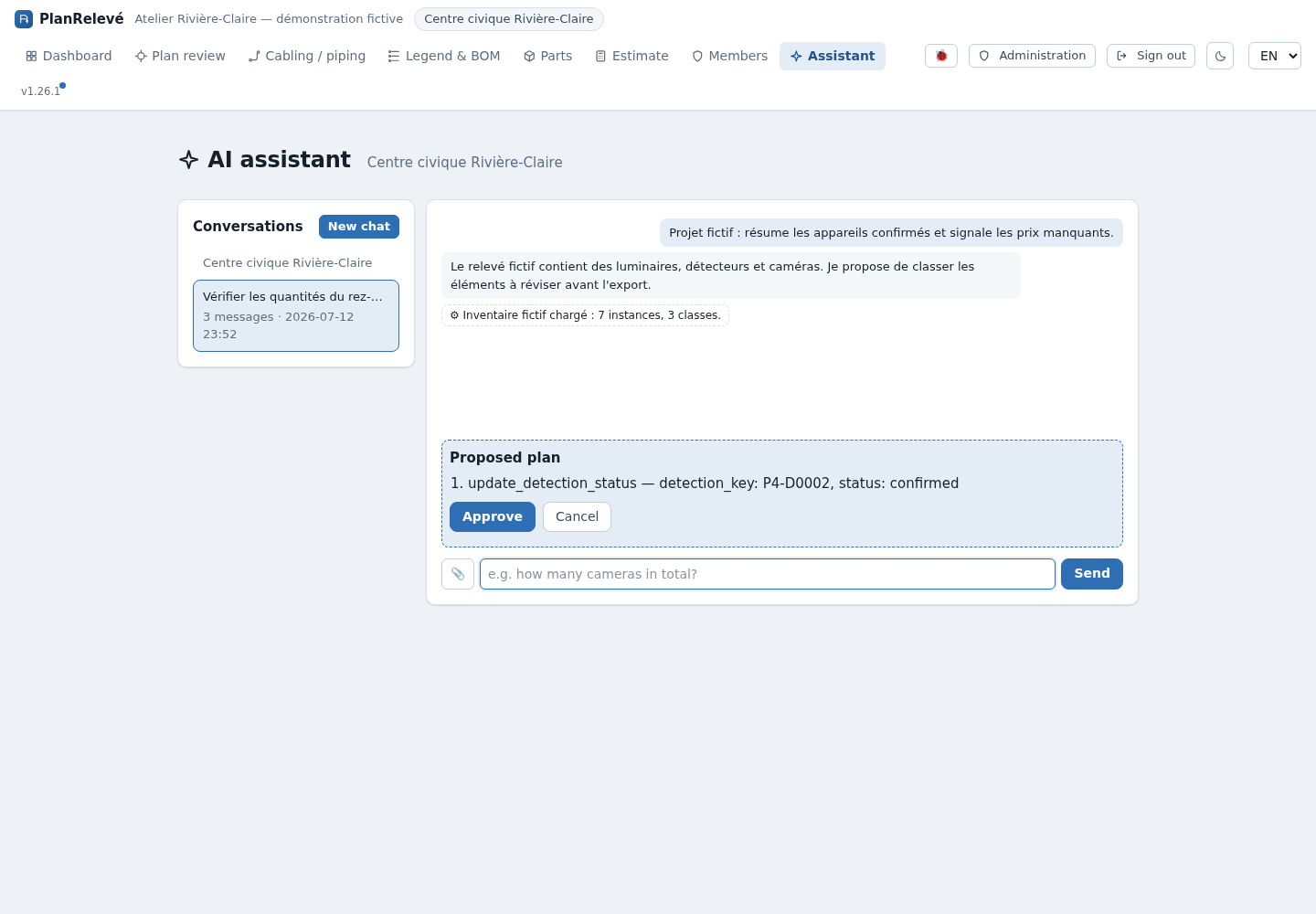
- Open a project and select Assistant. The floating button can also open it from other project pages.
- Select an existing thread or New chat. Threads belong to the user and project; another member does not automatically inherit your history.
- Ask a precise question, such as “Summarize confirmed counts,” “Which parts have no price?” or “Review the labour hours in this estimate.”
- If needed, attach a CSV, XLSX, PDF, PNG, JPG or WebP file. Check the filename and project before sending. Processing that requires document content is blocked until the separate consent is active.
- Read the response, displayed tool calls and any cited or linked Web source. A Web search may consult public sites; do not treat an external result as an approved price list without review.
The catalog's AI search prepares a natural-language search. AI check in the estimate requests a review of quantities, prices and inconsistencies. These functions can operate without sending plan imagery when they use only structured data.
Approve an action plan
A read-only answer writes nothing. When a change is proposed, the assistant displays an Action plan card:
- Review every operation, value and target project.
- Choose Approve or Cancel. Only the plan creator may approve it.
- On approval, the plan is claimed atomically: a double-click or retry cannot execute it twice.
- Before every write, PlanRelevé checks the user's current role again. Permission removed after proposal therefore blocks the action at execution time.
- Review the per-action result. A plan can partially succeed; recorded actions are not automatically replayed when a later action fails.
Limits and recovery
If AI is disabled, required consent is missing or the monthly quota is exhausted, no provider request starts. Enable the appropriate setting, wait for quota renewal or continue manually; all core workflows remain available without AI.
After an error, reload the thread before retrying. Do not blindly recreate a plan marked executing, executed or failed: first inspect the affected catalog, bill of materials or estimate. For current subprocessors, transfers and handling terms, use the privacy policy linked from Security.