PlanRelevé documentation
PlanRelevé is a bilingual, browser-based quantity-takeoff and estimating workspace for PDF construction plans. It brings symbol counting, cable and pipe measurement, areas, assemblies, pricing, revisions and exports into one project instead of separating markup, spreadsheets and product lists.
PlanRelevé is an Infotech Canada product from Joliette, Québec. The service is in controlled launch: request early access or a personalized demo before treating availability, pricing or a feature as a production commitment.
Who it is for
The current workflow is especially suited to electrical, fire alarm, sprinkler, security, structured-cabling and related plan-based trades. It is also useful to estimators and reviewers who need an auditable count before a bid. The software assists professional judgement; it does not interpret the code, select compliant products or approve a design.
What one project contains
- the uploaded multi-page PDF and a processed image of every page;
- page state, including page name, enabled/disabled state, drawing mode and scale;
- project legend items and plan-side symbol examples;
- candidate, confirmed, manual, needs-review and ignored detections;
- confirmed attributes read next to the symbols;
- cable, conduit and pipe runs, plus area and void polygons;
- a three-tier parts catalogue, per-class assemblies and the generated bill of materials;
- estimate settings, project price overrides, labour, free lines, margin and a tax snapshot;
- supplier quote requests and imported prices;
- project members, audit-relevant actions and downloadable exports.
Vector and scanned PDFs
PlanRelevé accepts one PDF per project upload, but not every PDF behaves the same way.
Vector pages retain drawing objects such as lines, text and paths. PlanRelevé can derive exact geometric signatures, read embedded text, infer wall/reference axes and run its fastest matching path. This normally gives the best result.
Scanned or raster pages are images inside the PDF. They remain usable, but symbol discovery relies on image contours and template matching. A clean, high-resolution scan with little skew or compression performs better than a photographed, faint or heavily marked-up sheet. OCR-like text assistance and automatic wall axes are more limited.
A single document can contain both modes. The Projects page shows a mode badge for each sheet so you can choose a different review strategy by page. See Detection modes and Troubleshooting.
The recommended path
- Sign in or accept an organization invitation.
- From Projects, choose New project, enter a name and upload the PDF.
- Wait for Uploading… and Analysing pages… to finish.
- Review page names and modes; disable cover sheets, schedules and details that should not enter takeoff.
- Open Plan review and arm the Legend symbols (
B) tool: scan the legend or define symbols from the plan, then confirm the useful classes. - Set the scale on each measured sheet with Measure & scale (
M). - On that same page, run detection (
F), then work the candidates in the review queue (Q) and add omissions manually. - Fill in the rest with attributes (
A), reference lines (L), cables and pipes (W,P) and zones (Z). - Map classes to assemblies and inspect the BOM on the dashboard.
- Add project pricing — your own, the catalogue or a supplier quote — then labour, margin and tax, and export the reviewed result.
The sequence is deliberately review-first. Automated detections are suggestions until they meet a conservative auto-confirm rule or a person confirms them. Candidate quantities do not silently become bid quantities.
Main workspaces
| Workspace | Purpose |
|---|---|
| Projects | Create, archive and open projects; inspect page state |
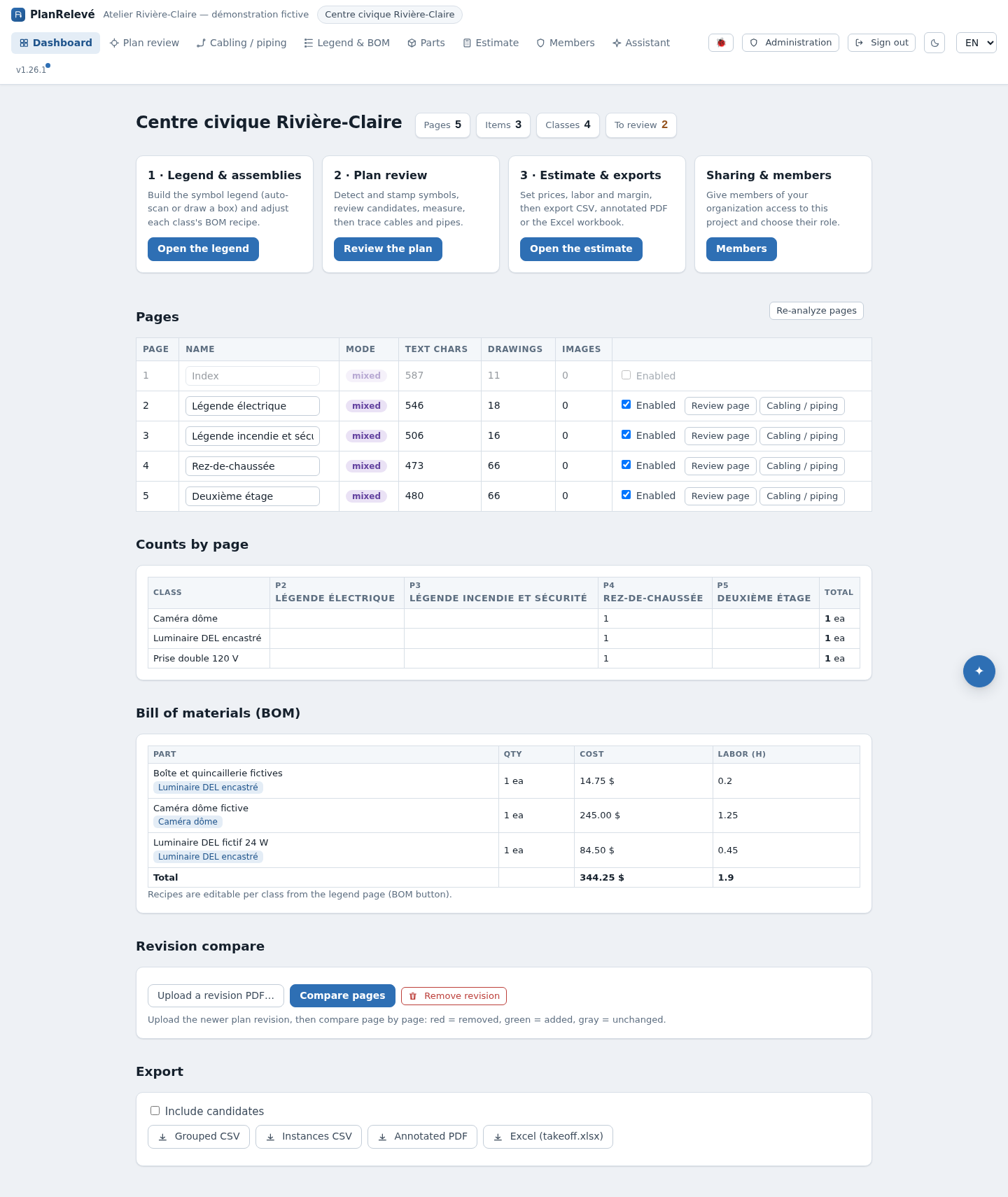
| Dashboard | Page state, counts by page and the resolved bill of materials |
| Plan review | One page for the sheet in front of you: legend symbols, detection, review, scale, cables, pipes and areas, each a tool on its rail |
| Parts | Manage catalogue tiers, project overrides and assemblies |
| Estimate | Price material, labour and free lines; apply margin/tax; edit BOM recipes |
| Suppliers | Contacts, price-quote requests and imported quoted prices |
| Members | Project sharing and roles |
| Exports | Download takeoff, estimate and annotated-plan variants |
| Revisions | Upload a new PDF, match sheets and compare changes — currently unavailable, see Revisions |
| AI Copilot | Optional natural-language read/planning layer, subject to organization consent and quota |
Permissions matter
Organization roles provide defaults, while a project membership can narrow or expand a specific project. In brief: Viewer reads, Reviewer decides existing candidates, Editor changes takeoff data, and Project admin also shares the project. Owners and organization admins manage members, security, storage, AI and MCP. The interface may show a workspace while a write action returns Forbidden if your effective role is read-only. See Accounts and project access and Organization administration.
Result ownership
Before issuing a quotation, verify page inclusion, scale, symbols, low-confidence populations, assemblies, prices, labour assumptions, tax group and export options. Preserve the source plan and revision used for the estimate. PlanRelevé makes those checks easier; the estimator remains responsible for the final scope and quantities.
Next steps
- First project
- How the workflow fits together
- Review quality and controls
- Security and Law 25 controls