Parts catalog
The catalog contains 10,665 bilingual parts for electrical, security/ELV and fire protection work. It provides starting references, but your prices and hours remain under your control. A part enters the bill of materials only when a recipe names its part number.
Access and library precedence
Path: project → Parts. A viewer may search; an editor or project administrator may add, modify, hide, import or export. The three tiers always resolve as project → organization → shared library.
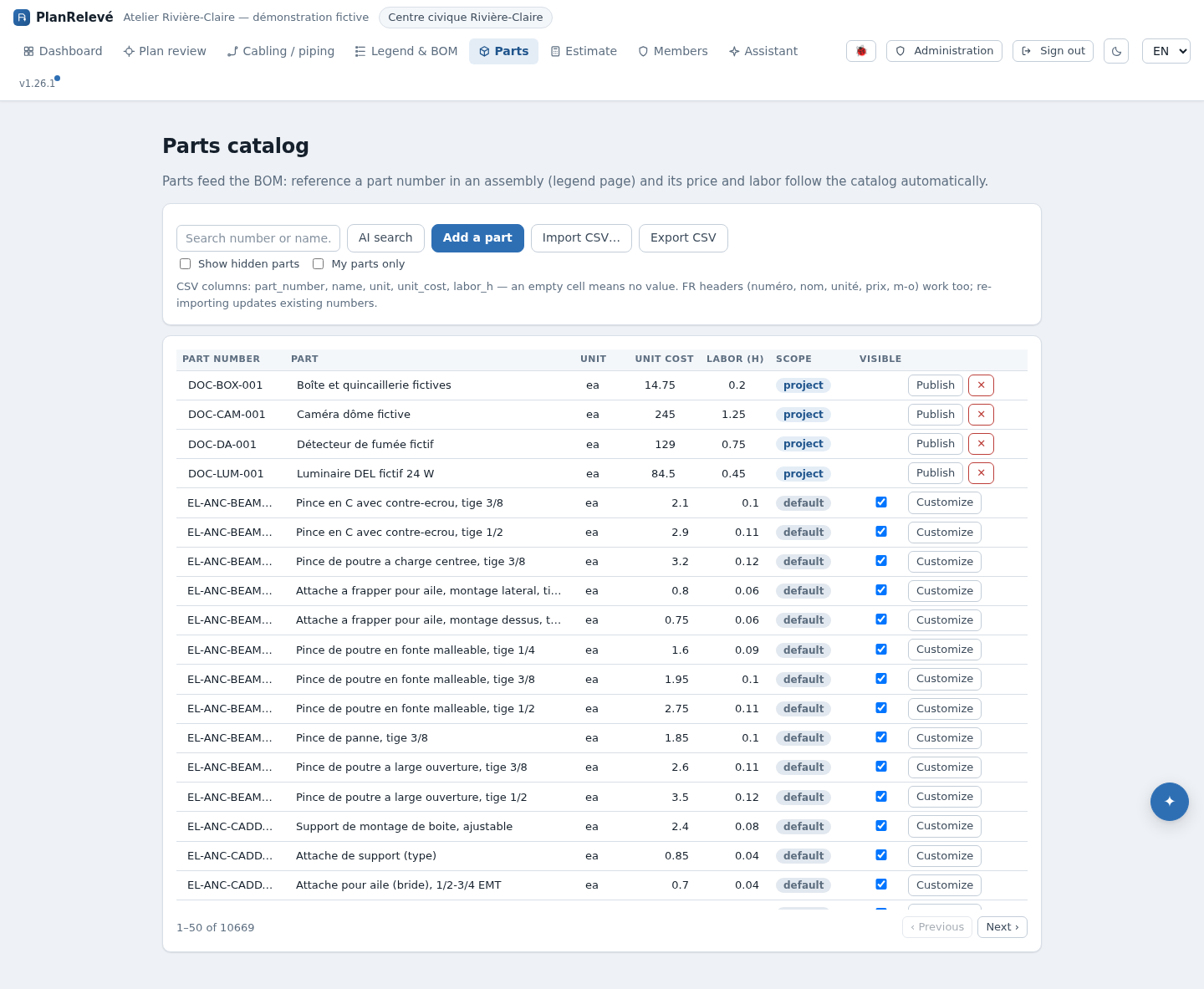
- Shared / default: read-only and common to everyone; 10,665 rows with French and English names.
- Organization: a copy or published part available to authorized projects in your organization.
- Project: a local exception that wins only in this project.
A higher-tier row with the same part number shadows the lower one. Deleting an override reveals the next tier rather than deleting the shared reference.
A supplier quote is a fourth source that sits on top of the catalog rather than inside it. Once a quoted price is imported, the newest valid one applies automatically and the line carries a Supplier quote badge; your project prices still win over it. A quote older than 30 days is marked Over 30 days old, and an Expired one falls back to the catalog price. See Suppliers and price quotes.
Search and modify a part
- Enter several words, a number or a description. Search is case- and accent-insensitive and checks bilingual names.
- Read Scope, unit cost, unit and labour hours. A blank cell means “no value,” not a verified zero.
- To customize a shared part, create its editable organization copy. For a bid-specific exception, create a project part with the same number instead.
- Save a stable number, name and unit, followed by non-negative cost and hours. Then inspect recipes that use the number in Assemblies and BOM.
- Use My parts only to remove the shared tier from the listing. Show hidden parts lets you restore a reference.
Hiding a shared part affects organization listings and pickers. It does not break an existing recipe: if the number is still referenced, resolution and pricing continue.
Import and export project pricing
Import CSV loads the project tier. The file must be UTF-8 and contain at least part_number and name; common fields are unit, unit_cost and labor_h. Common French headers and comma or semicolon delimiters are accepted. Re-import updates numbers already present in the project, and an empty numeric cell clears that value.
Export CSV downloads project-owned parts, not the merged 10,665-row catalog. Use it as a backup or re-import template. Review reported row errors after import; blank part numbers are skipped and a new part without a name is rejected.
AI search, limits and recovery
AI search opens the AI assistant with the current query. The assistant reranks structured catalog candidates; it does not replace supplier validation and does not require plan imagery. If AI is disabled or quota is exhausted, normal search remains available.
When the estimate shows an incorrect price, search the exact number and inspect all three tiers. Correct the row that actually has precedence or delete the incorrect override. A missing price remains missing; PlanRelevé does not invent one. Then generate a new export, because existing files do not change.